
Route Servers
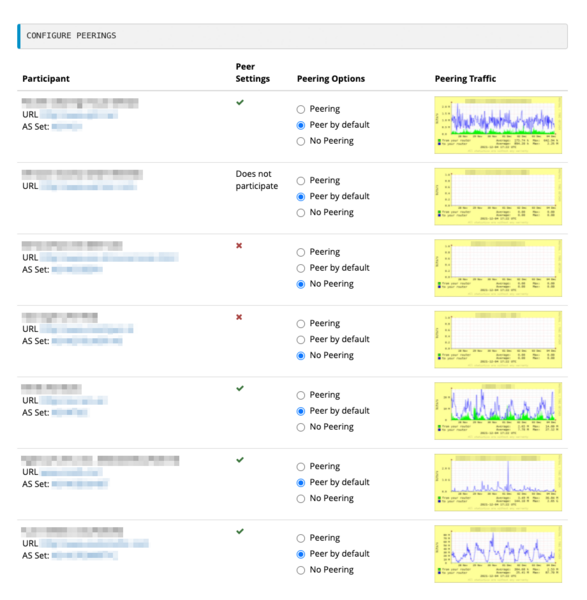
Route servers just provide routing information - the actual traffic flows directly from participant to participant. If all VIX participants were to activate the route servers, they could peer with all other participants with only two BGP sessions. When using the route servers, you can also immediately peer with new participants, if the default behavior is configured accordingly. Moreover, the AS112 service is automatically available via the route servers.
Using it is easy: You just need to establish BGP sessions to both route servers and activate the route servers in the VIX web portal. After that, you can configure default settings and exceptions (per peer) in a web interface. There are two separate configuration interfaces for IPv4 and IPv6 with the same range of functions.
How do the route servers work?
A BGP process exists on both route servers for each VIX participant that has activated it. The route servers accept all announcements from the participant routers involved. Prefixes that are not documented in the RIPE Database are marked with a special BGP community.
A set of rules - based on the settings made by all parties in the configuration mask - now decides which prefix information is to be exchanged between which routing processes. A peering is only established if both peering partners agree. This ensures that peerings are always set up bidirectionally.
- Each participant can select (per peer) whether to receive only the prefixes documented in the RIPE Database or all prefixes. Undocumented prefixes are marked with BGP Community 1121:1.
- Moreover, each participant can select "BGP as-path prepends" for their own announcements (per peer).
- We recommend that you do not use a "maximum-prefix" limit in the direction of the route servers, because under certain circumstances there is a risk of being locked out of the "route server cloud". The route servers themselves have a default limit of 15,000 prefixes (IPv4) resp. 3,500 prefixes (IPv6) per peer.
Activation
To activate the route servers, you need a portal account and also administrator access to the route server area in the web portal.
- If you do not yet have a portal account, please send us a fully completed application form in which you also request admin access to the route servers.
- If you have a portal account but not yet admin access to the route servers, please send us your updated application. You can of course keep your existing username.
Provided that our administrative contact at your organization confirms that you should be given this permission, we will assign it to you.
If you have any questions about the route servers, please contact us at noc (at) vix.at.
Fine-Tuning with BGP Communities
First, define on the "Route Servers" page in the VIX web portal with whom you want to establish peering relations. Then, you can use BGP Large Communities in your router configuration to further restrict or refine the distribution of specific routes. You may attach multiple communities to a single route.
- Case 1: Distribution based on settings in the VIX web portal
By default (i.e., without any additional BGP communities), routes are distributed according to the settings on the "Route Servers" page in the web portal. No further action is required for this.
- Case 2: Distribution to most route server peers, but excluding a small number of peers
For each peer you want to suppress announcements for, add the BGP Large Community 1121:0:<asn>, specifying its AS number <asn> (e.g., 1121:0:98765).
- Case 3: Distribution to specific route server peers and no one else
For each peer to which you want to announce a route, add the BGP Large Community 1121:1:<asn>, specifying its AS number <asn> (e.g., 1121:1:98765).
To ensure that the route is not announced to any other peer, also add 1121:0:0.
Limited control is provided via BGP Standard Communities, since this legacy method can carry less information.